5 Reasons You Should Try Obsidian, the Free Writing App for Sharp Thinkers
· Personal knowledge management
In this article, I’ll explore why Obsidian, a versatile and free writing app, is a must-try for anyone looking to enhance their thinking and writing processes.
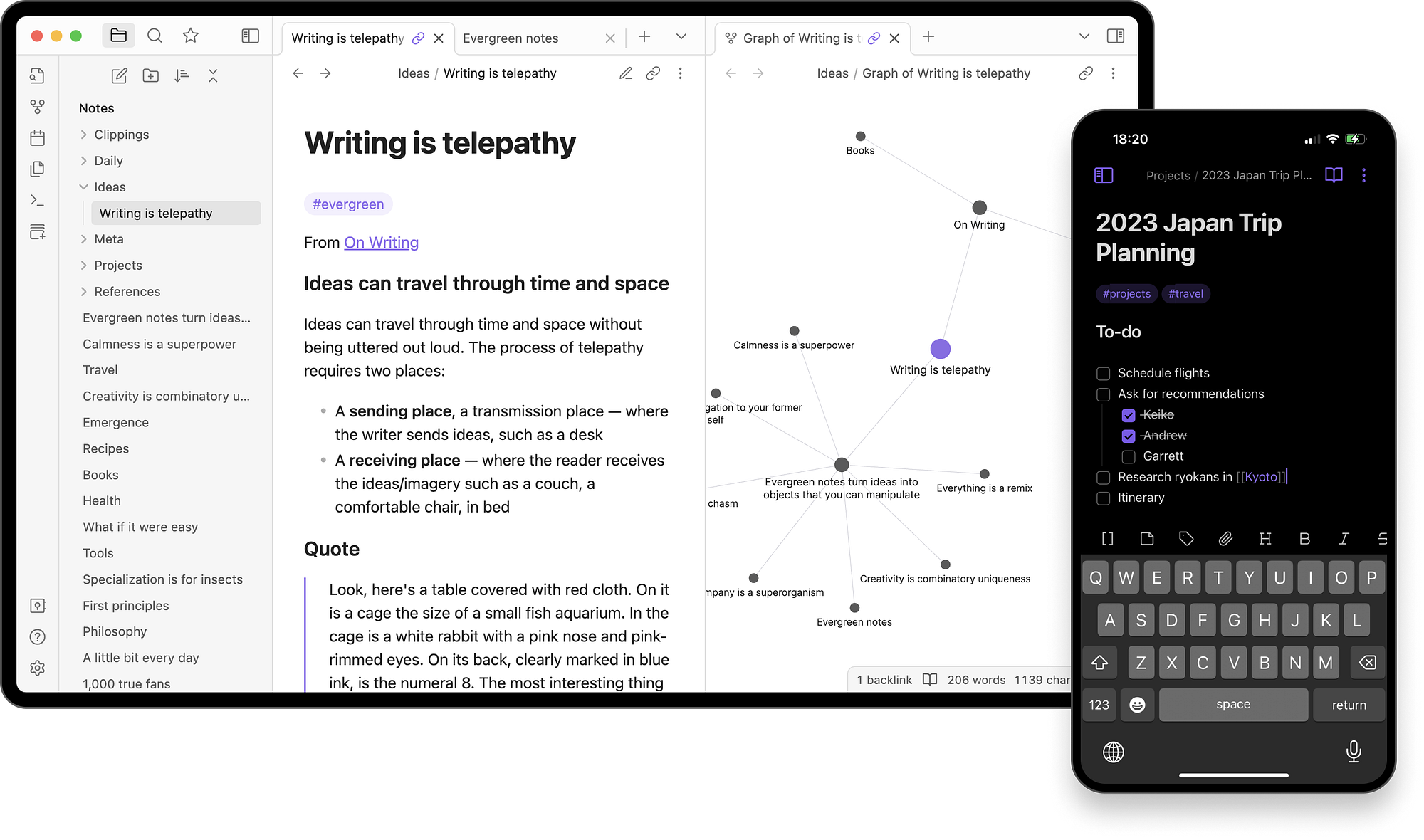
I’m not exaggerating when I say that, for me (a writer and software engineer), Obsidian has been life-altering software. Certainly, you’ve heard about it. If not, you’re in for treat. Obsidian provides a suite of features that streamline the way you organize thoughts, manage complex information, and foster creativity. The transformation it can bring to your workflow can lead to significant improvements in both your personal and professional life. That’s what it’s done for me and I want to share that with you.
So, let’s dive in.
Work With Local and Non-Proprietary Markdown Files
For writers and thinkers who want to avoid getting locked-in to one application, and who prefer clean, distraction-free environments, Obsidian’s private Markdown support is indispensable.

Setting aside the fact the app is totally free, it does not lock your precious personal information into some proprietary and paid online service. With Obsidian, your files are stored locally as markdown text, which you can open forever with any text editor. Writing in markdown is refreshingly fast and Obsidian’s interface formats as you type.
Use Canvases to Model Your Thoughts
For creative thinkers who like to model information visually, Obsidian canvas has you covered — it’s like a mind map, on steroids.
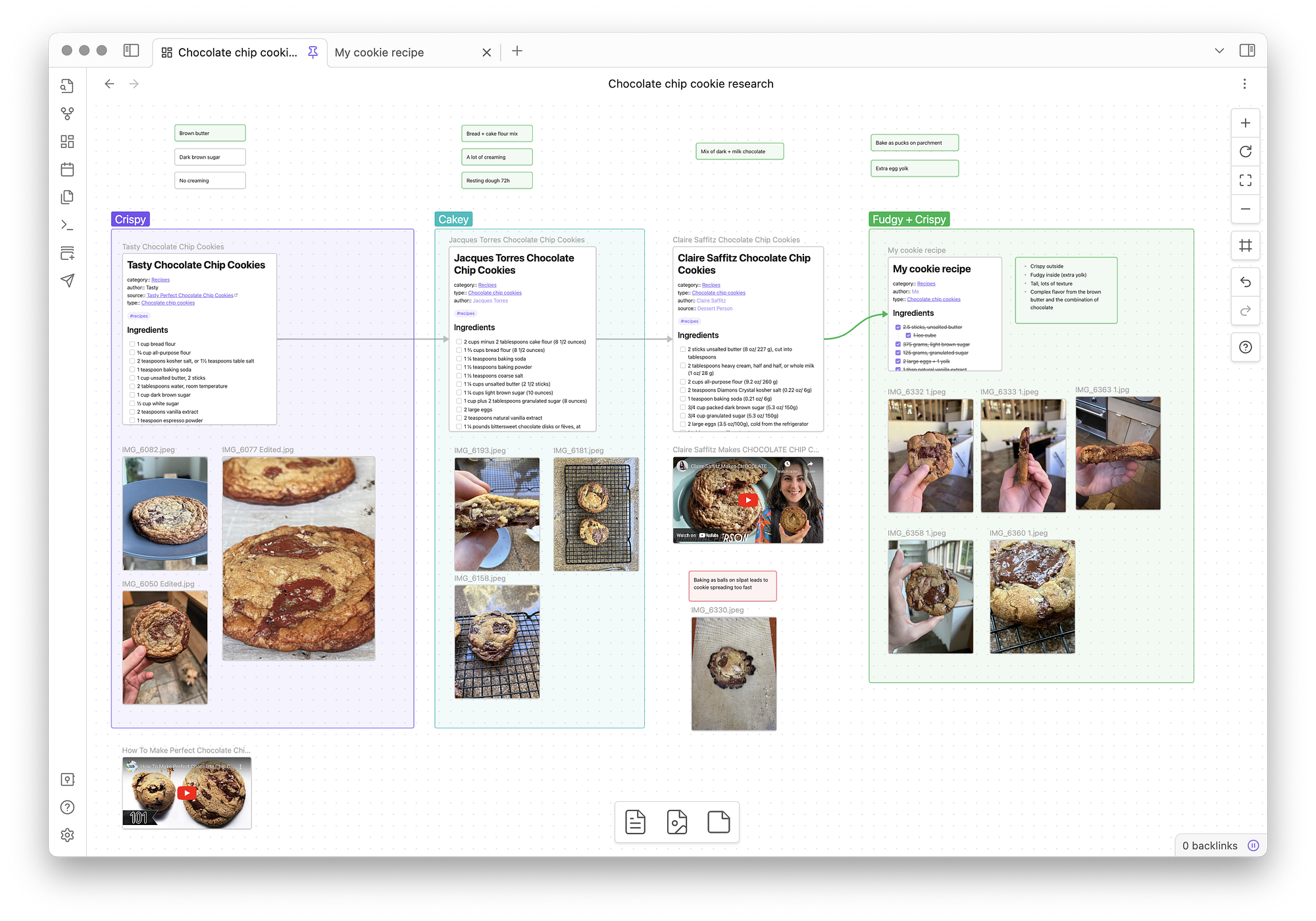
Imagine the ease and rapid-fire simplicity of creating mind maps, but with the documents in your personal knowledge base. With Obsidian, you can create an infinite canvas upon which to drag-and-drop your notes or create new cards. Zoom in and zoom out with your mouse wheel. Change colors. Drag-and-drop to reorganize the view. Draw and label links that go forward and backward between nodes, or both. Create anything from simple whiteboards and corkboards to complex flow diagrams.
Classify and Organize Your Second Brain with Tags
Tagging lets you apply terms (subjects or concepts) to documents as metadata that help you organize and relate content by subject and nature.
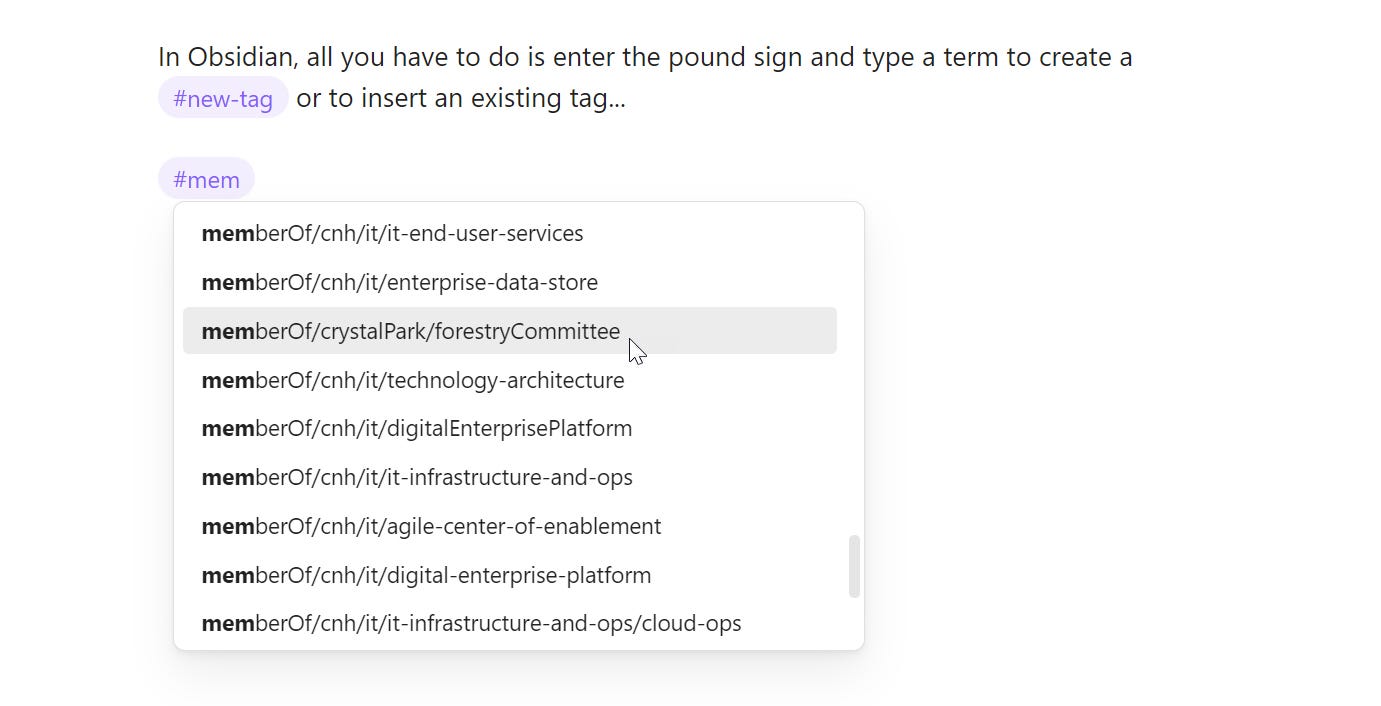
Reality cannot be properly organized by a single hierarchy of concepts, and neither can your second brain be organized by a single hierarchy of file folders. Reality is more like a graph — everything is related in multiple dimensions; it all depends on context. Obsidian gives you the tools you need to tag as you type and then later search and browse by tags.
Choose from Over a Thousand Free Community Plugins
With plugins and themes, you can mold the app to meet your specific needs, enhancing productivity.
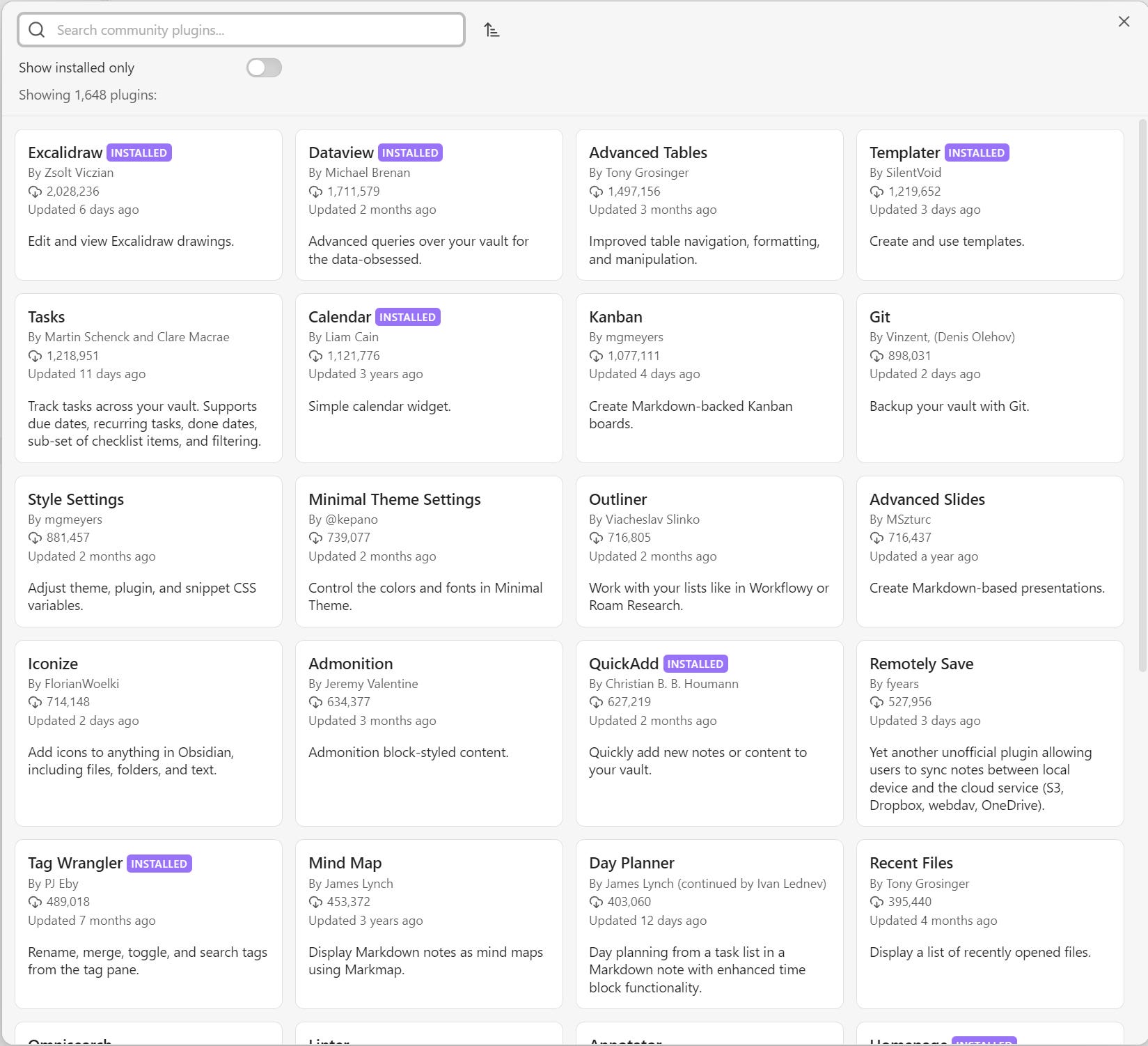
A vibrant plugin developer community offers a marketplace of over 1,500 free tools for customizing Obsidian. There are drawing/sketching plugins for visual thinkers, A.I. plugins that integrate LLMs into your workflow, metadata aggregators that turn your notes into one big query-capable database, plugins for templates, for tasks, for kanban…oh my, are there plugins! There are also a variety of themes and ways to tailor the UI to suit your taste. And if you know JavaScript, TypeScript, or Node.js, you can use the plugin API to build new Obsidian tools for yourself and others.
Relate Information Easily and Visualize Connections in a Variety of Ways
There are multiple ways to make connections and then visualize them.
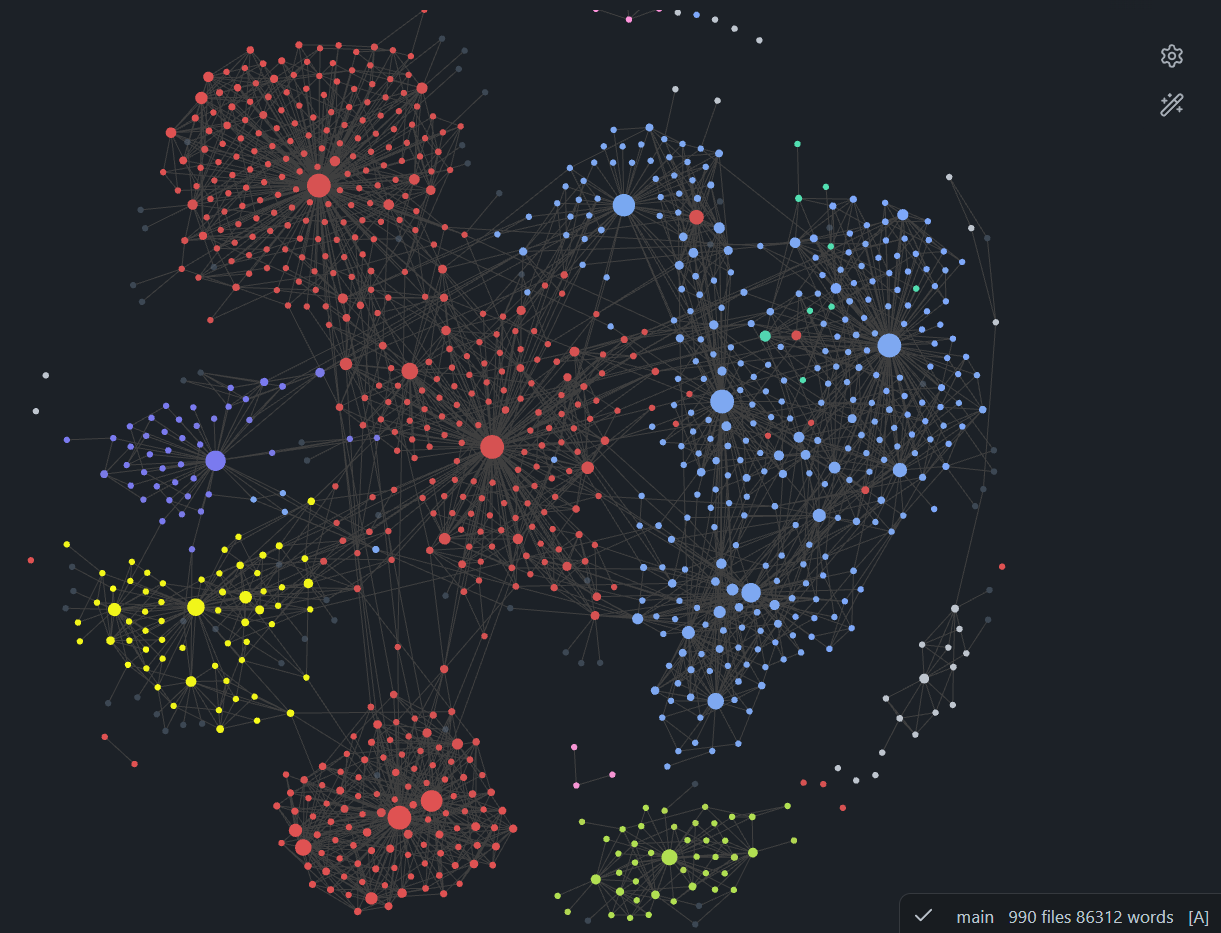
The graph view is a community favorite. It shows the connected documents in your notebook as a visual graph with tools for slicing, dicing, and styling the view. In the text editor, you can link documents quickly with simple wiki links or traditional markdown links; as you start typing, type-ahead search pulls data from your vault to help you relate information fast. Forward and backlink panels show all the connections made to a given document. Easily connect your ideas into an ever-evolving network of interrelated concepts — like a neural network with the plasticity of a growing brain.
I hope this post inspires you to try Obsidian and experience a transformation in your writing and thinking processes.
Best wishes on your journey to becoming a sharper thinker and a more organized writer!
First published on Medium on .