Project 4th Brain: Brainstorming a Database Design for the Supabase Backend
· Software development

In my previous article, I introduced Project: 4th Brain — my endeavor to create a Personal Knowledge Management platform for digital creators and knowledge workers. The system, based on the Obsidian writing app and its plugin-based extensibility, will endeavor to create harmony between four distinct types of intelligence: human cognition (your brain), digital note-taking systems (your “second brain”), community wisdom, and artificial intelligence.
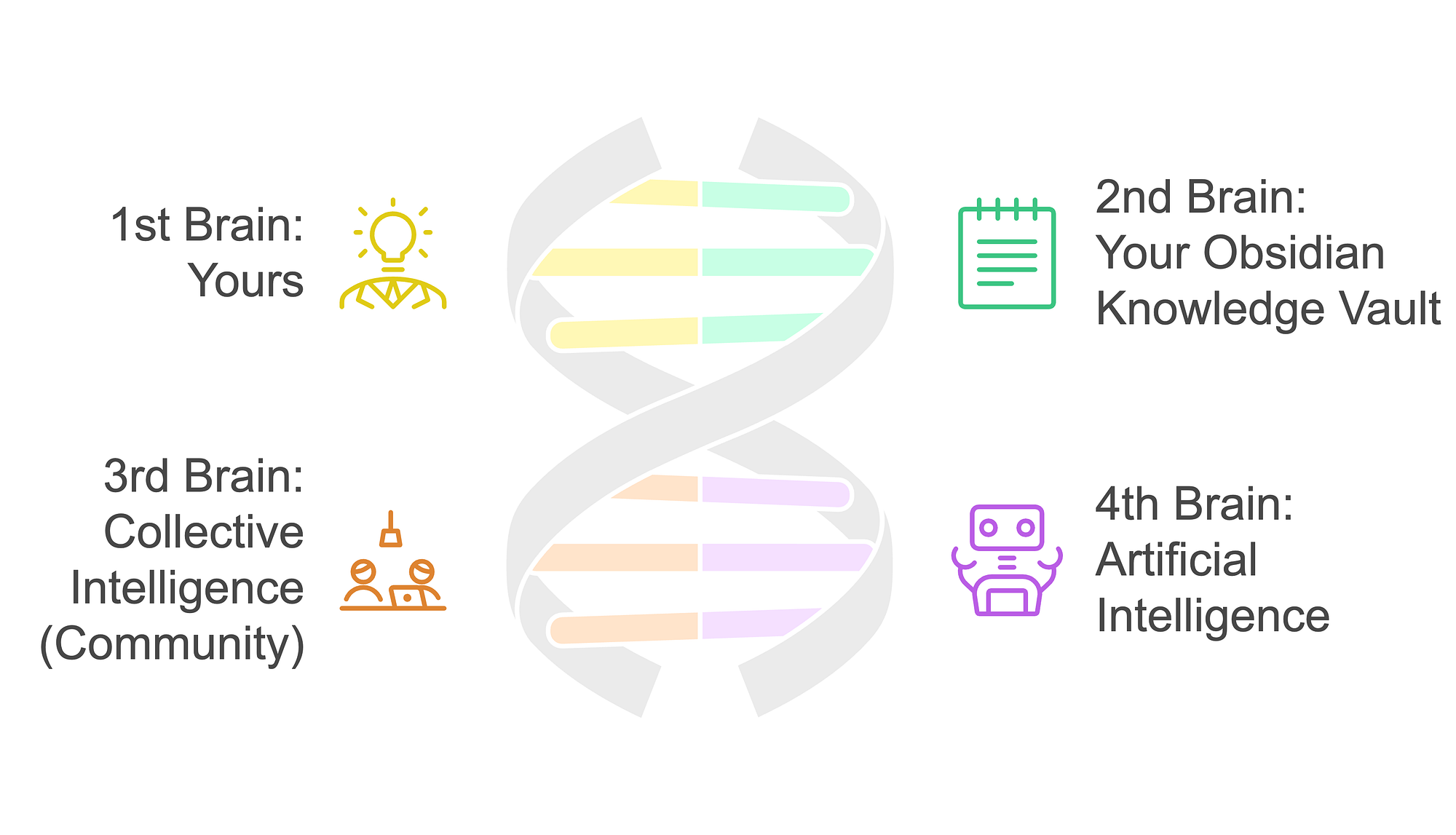
Rather than viewing these as competing forces, the project aims to build an integrated ecosystem where they enhance each other.
While the vision is expansive, every journey begins with concrete steps. Today, we’ll lay the foundation by setting up our backend infrastructure using Supabase, an open-source Firebase alternative that will power our system’s data layer and API.
Supabase is built on robust open-source software; it’s stuffed with sweet features, and it’s reportedly very easy to use and highly scalable. This will be my first time using Supabase, but I’ve done enough homework to know it’s a great fit for the project.
Key Supabase Features
- PostgreSQL Database: A powerful, open-source relational database with advanced features like full-text search and vector operations
- Authentication: Built-in user management with multiple auth providers (email, social, SSO) and Row Level Security
- Auto-generated APIs: Instant RESTful and real-time APIs based on your database schema
- Real-time Subscriptions: Live data synchronization using PostgreSQL’s native pub/sub system
- Edge Functions: Serverless functions for running custom backend logic
- Storage: Large file handling with object storage and CDN capabilities
- Self-hosting Option: Can be fully self-hosted for complete data control and privacy
Supabase Development with Docker
One of the key requirements for the platform is that any user should be able to host their own backend on any cloud provider of choice, including Supabase’s own cloud, which is reasonably priced. Users should be able to get the entire backend running with as minimal configuration and customization as possible. As such, I chose to run Supabase locally for development. This should not only help me develop faster, but it will also help me prove that I can recreate the backend quickly and faithfully after tearing it down.
Note: I will provide links to reference resources and will not be repeating technical information that is already well-documented in those resources.
I set up Supabase on my Apple MacBook Pro (M3 Max) by following the guide, Self-Hosting with Docker, from the Supabase docs. Aside from a port conflict with another one of my running Docker containers, this procedure was smooth and easy. Next step: the relational database design.
Brainstorming the Database Schema Design
Key Entities
- tenant — the backend must be capable of securely isolating and managing data for multiple independent users/organizations while sharing the same infrastructure, ensuring that each tenant’s data remains completely separate and inaccessible to other tenants. A tenant is an organization or logical group of users who can collaborate and publish to the same site.
- user — an individual person identified in the system by a globally unique id.
- site — a web site uniquely identified by a domain or subdomain where resources are published and synchronized from the client authoring tool, Obsidian. A site may be synonymous with a given Obsidian vault on a user’s local machine, though it may be beneficial to allow publishing and synchronizing from one vault to multiple sites.
- role — a named set of security access that gan be applied to operations and resources; I am presently unaware of whether or not this is truly necessary as I do not yet understand how Supabase auth works (more homework is required).
- property — represents a frontmatter metadata property belonging to one or more documents and having one or more possible values. I foresee treating properties like common RDF predicates that can be reused across multiple sites and even across tenants.
-
tag — a concept or term used either as a value of
the tags frontmatter property or within the body of a markdown
document (synonymous with Obsidian tags).
- hierarchical tags should be supported (e.g. parent-tag/child-tag) - document — a markdown document published from and synchronized with the Obsidian client
- document_version — represents a specific version of a document at a point in time, containing the complete state of the document, including its content and frontmatter metadata for that version
- canvas — a JSON document conforming to the JSON Canvas specification.
- folder — a unit of storage in a hierarchical storage system synonymous with the Obsidian vault’s file system, and which may translate to site areas when published on the web
Relationships Between the Entities
-
Tenant Relationships
- tenant ↔ user: One-to-Many (A tenant has multiple users)
- tenant ↔ site: One-to-Many (A tenant can have multiple sites) -
User Relationships
- user ↔ tenant: Many-to-One (Users belong to one tenant)
- user ↔ site: Many-to-Many (Users can have different roles/permissions across multiple sites)
- This requires a junction table:user_site_role -
Site Relationships
- site ↔ tenant: Many-to-One (Sites belong to one tenant)
- site ↔ document: One-to-Many (A site contains multiple documents
- site ↔ canvas: One-to-Many (A site can have multiple canvases) -
Document Relationships
- document ↔ Many: Many-to-Many (Documents can belong to many sites)
- document ↔ Property: Many-to-Many (Documents can have multiple properties)
- This requires a junction table:document_property -
document ↔ tag: Many-to-Many (Documents can have multiple tags)
- This requires a junction table:document_tag -
Document Version Relationships
- document ↔ document_version: One-to-Many (A document has multiple versions over time)
- document_version ↔ property: Many-to-Many (Each version has its own set of properties)
- document_evrsion ↔ tag: Many-to-Many (Each version has its own set of tags)
- document_version ↔ site: Many-to-Many (Each version can be published to multiple sites) -
Property Relationships
- property ↔ document: Many-to-Many (Properties can be used across multiple documents) -
Tag Relationships
- tag ↔ document: Many-to-Many (Tags can be used across multiple documents)
- tag ↔ tag: One-to-Many (Self-referential for hierarchical tags — parent/child relationship)
- tag ↔ tenant: Many-to-One (Tags are scoped to a tenant) -
Folder Relationship:
- folder ↔ site: Many-to-One (Folders belong to one site)
- folder ↔ folder: One-to-Many (Self-referential for hierarchical folder structure — parent/child relationship)
- folder ↔ document: One-to-Many (A folder contains multiple documents)
- folder ↔ canvas: One-to-Many (A folder can contain multiple canvases)
Expressed in Mermaid’s ERD notation, that looks something like this:
erDiagram
    tenant ||--o{ user : "has"
    tenant ||--o{ site : "owns"
    tenant ||--o{ tag : "defines"

    user }o--o{ SITE : "accesses"
    user_site_role }|--|| user : "belongs_to"
    user_site_role }|--|| site : "applies_to"

    site ||--o{ folder : "contains"
    folder ||--o{ folder : "parent_of"

    folder ||--o{ document : "contains"
    folder ||--o{ canvas : "contains"

    document ||--o{ document_version : "has"

    document_version ||--o{ version_property : "has"
    version_property }|--|| property : "references"

    document_version ||--o{ version_tag : "has"
    version_tag }|--|| tag : "references"

    site }o--o{ document_version : "publishes"
    document_version_site }|--|| document_version : "links"
    document_version_site }|--|| site : "contains"

    tag ||--o{ tag : "parent_of"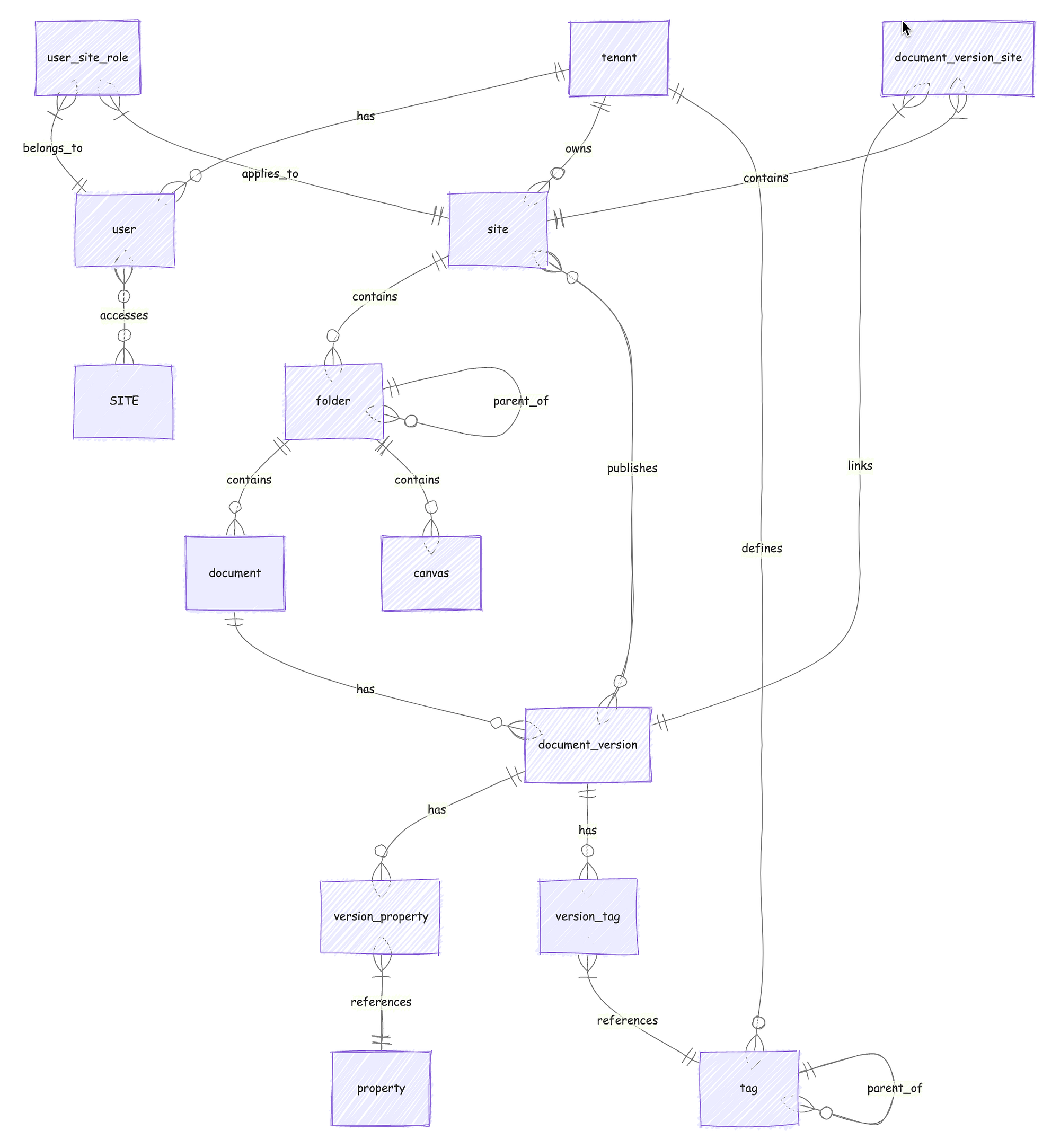
Next Steps
Now that I have a preliminary design for the database, I will soon start exploring the database development tools available in Supabase. There is a UI for creating tables, for example, and a visual schema designer. SQL can be inputed directly into the UI, and then, of course, you can also access the Postgres database directly through the command line. While I want to explore those and other Supabase and Postgres features, I need to be sure that I all DB creation steps can always be faithfully recreated.
I expect that, while implementing this DB design, a lot of new thoughts will come to mind, so the design will surely be evolving quickly.
If you’re interested in following along or contributing to the vision for this platform, you can:
💬 Contact me to share your thoughts and ideas
“Getting an audience is hard. Sustaining an audience is hard. It demands a consistency of thought, of purpose, and of action over a long period of time.”
First published on Medium on .